
Efficient online meetings: Three tips, and the office setup behind them
Hybrid working has become an integral part of professional life. It has changed our office layouts and our meeting habits alike, and many people no longer travel to the office just to attend a meeting. Online meetings are the norm now, which makes it worth knowing how to run them well. Start with these three.
Tip 1: laptop or smartphone, and the catch nobody mentions
Many experts advise taking part in online meetings on your laptop rather than your smartphone. Their reasoning is practical: you need to take notes during the call, you may have to look something up, and you might want to share your screen.
Those arguments hold. There is a significant disadvantage, though. Employees who video call from their laptop are constantly interrupted by incoming emails and chat messages, which reduces concentration and makes the meeting far less efficient.
The fix is simple and takes ten seconds. Expand the meeting window to fill the whole screen and turn off notifications, so you are neither distracted nor tempted to open another tab.
Tip 2: dress as if the meeting were physical
There is a real temptation to join online meetings in jogging bottoms and slippers. Nobody can see, after all.
Professional clothing matters anyway, even on Teams or Zoom. Dress as if you were walking into a physical meeting room, because although your pyjamas will not appear on screen, they do determine how you feel, how you speak and how you respond.
Attention is already the scarce resource in these meetings. One in three participants in online meetings occasionally drift off or suddenly feel a bit sleepy, so you do not need clothing that tells your body it is allowed to relax.
Tip 3: schedule important meetings in the morning
Timing does as much work as preparation. A study by hotel chain Hilton showed that employee productivity usually takes a dive at around 2 p.m.
So put your important online meetings in the morning, when everyone is fresher and more alert. Leave the early afternoon for the calls that need presence rather than decisions.
The office side of the problem
Most advice about online meetings addresses behaviour and stops there. Yet the biggest cause of a bad hybrid meeting is usually the room the call is taken in.
If your office has nowhere decent to take a video call, people book meeting rooms for one-person calls, or they call from their desk and disturb everyone around them. Both are expensive habits.
A workable hybrid office gives calls their own settings:
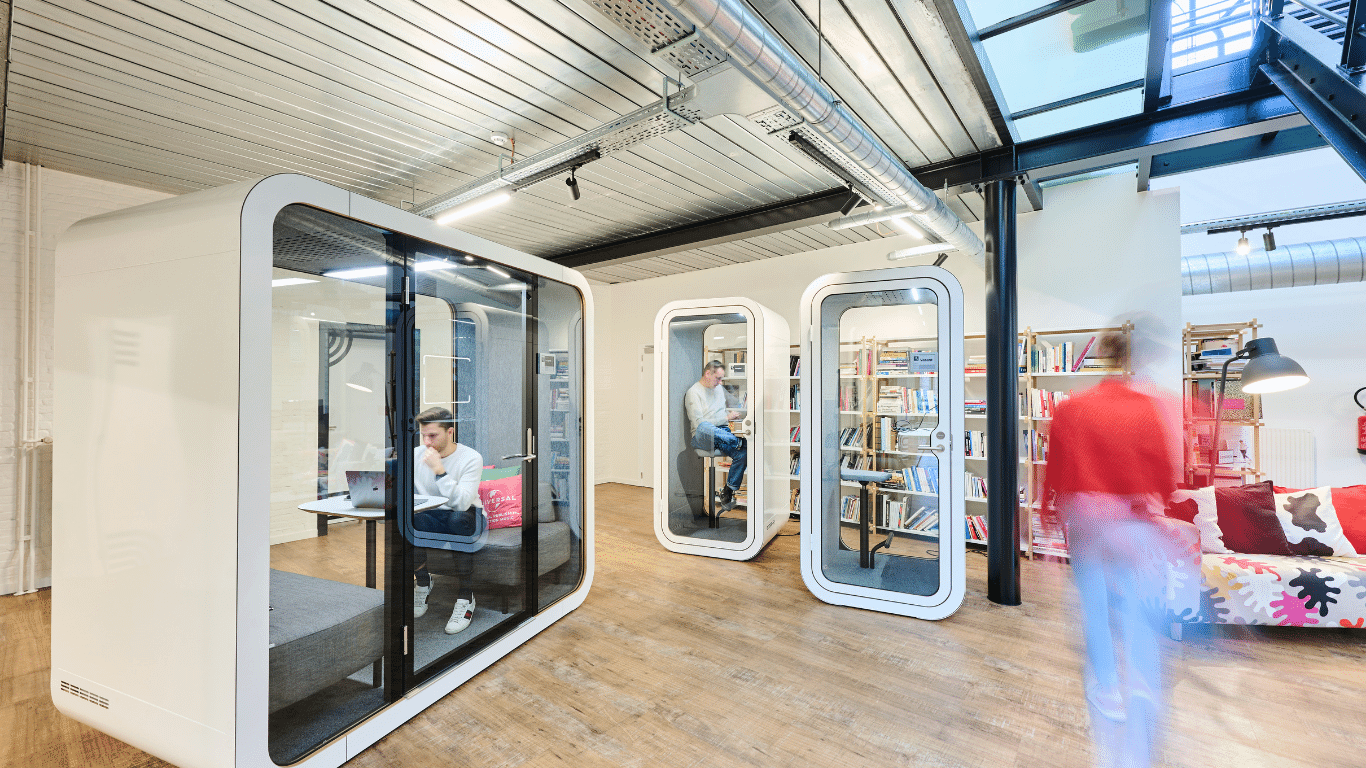
- Telephone booths and small pods for one-person calls
- Enclosed rooms with proper acoustic insulation for team calls
- Camera-friendly lighting from the front rather than from behind
- A neutral, branded background instead of a corridor full of traffic
- A screen and camera positioned so remote participants can see everyone in the room
Making hybrid meetings fair for everyone
The hardest problem in hybrid meetings is not technical. It is that people in the room have an advantage over people on the screen: they hear the side comments, they catch the glances, and they speak first.
A few habits level it out. Let remote participants speak first on each agenda point. Use one shared document so everyone sees the same thing. And if most of the group is remote, consider having everyone join individually, even those sitting in the office.
A short checklist before you click join
None of this requires new technology. It requires a routine that takes about a minute.
- Is there an agenda, and does everyone know what the meeting has to decide?
- Are notifications off and the meeting window full screen?
- Are you in a space where you can speak freely without disturbing others?
- Is your camera at eye level and your face lit from the front?
- Could this meeting have been a message instead?
Designing an office that supports hybrid work
Online meetings put new demands on a floor plan: more enclosed space, better acoustics and rooms sized for the meetings you really hold. Alternativ designs and builds those spaces, from acoustic booths to fully equipped meeting rooms.
Frequently asked questions
Generally yes, because you can take notes, look things up and share your screen. The drawback is distraction from email and chat, so switch notifications off and use full screen.
Yes. Even when only your upper body is visible, clothing influences how you feel, speak and respond. Dress as you would for a meeting in a physical room.
In the morning. A study by hotel chain Hilton showed employee productivity usually dips around 2 p.m., so important meetings belong earlier in the day.
Acoustically insulated spaces for calls, from small telephone booths to enclosed meeting rooms, plus front-facing lighting and a camera position that includes everyone in the room.
Does your office lack the right space for video calls?
Get in touch with Alternativ and we will solve it together.